
This HOWTO guide explains how to easily fix the “corrupted version” error when installing / upgrading Allods Online without having to download files manually or from sources you’re not sure are safe.
WHAT THE BROKEN INSTALLATION PROCESS LOOKS LIKE
I tried installing Allods Online (AO) this weekend and ran into a corrupted version problem. Here is what the install process with the corrupted version looks like:
- you run the game downloader and install the game
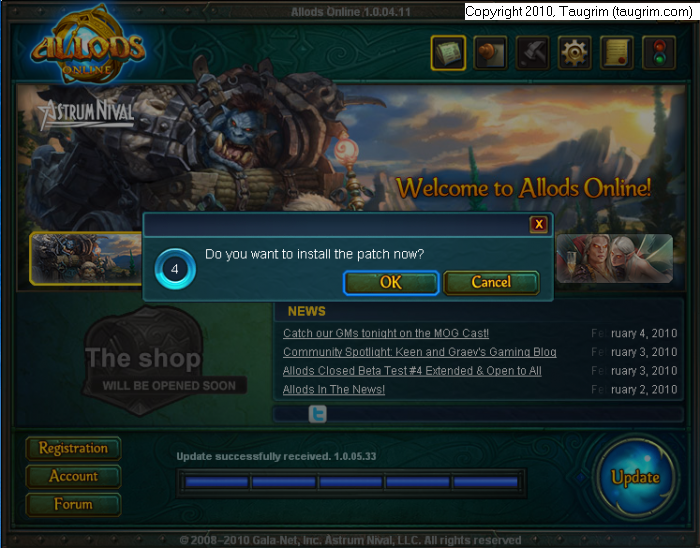
- you run AO game launcher and you get a notification that you need to upgrade to the latest patch:
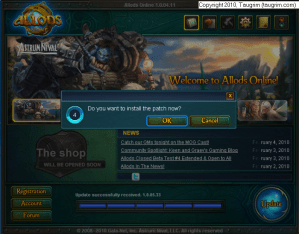
- the launcher downloads the patches (~450 MB in my case)
- the launcher installs the patches
- the launcher reports that the “Version is corrupted. Do you want to repair it now?”
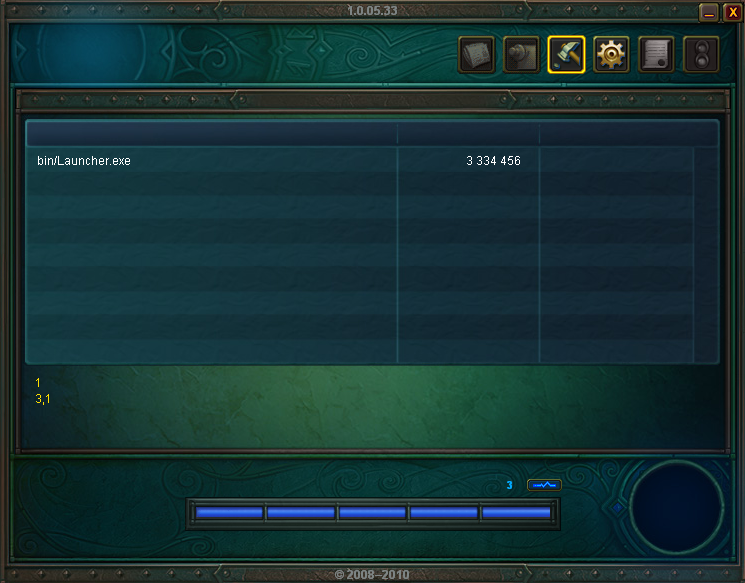
- the launcher’s attempt to repair the corrupted version fails, and you see this message:
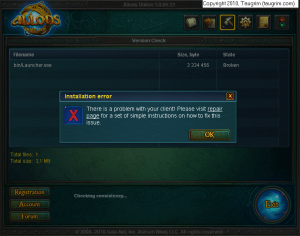
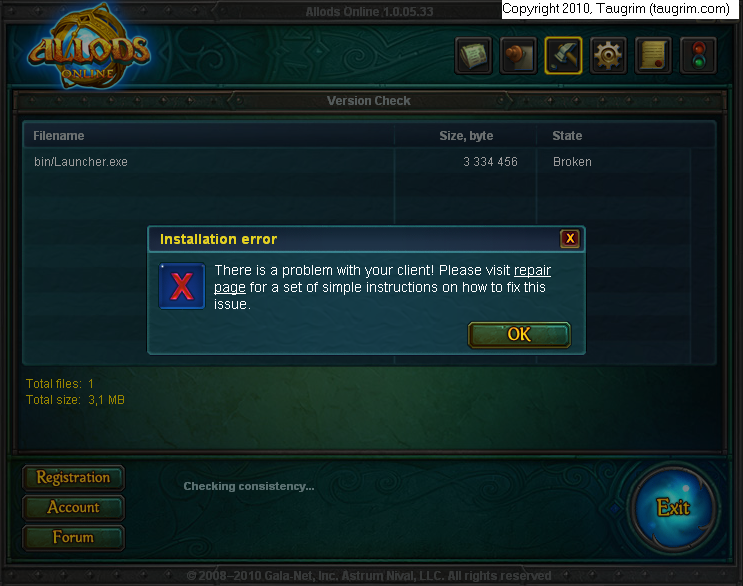
Unfortunately, the repair page mentioned in the error panel doesn’t help this problem. So what’s wrong with the installation process? You can see from the picture above that the launcher itself (bin/Launcher.exe) is broken, so you need to get the launcher to download a working version of itself.
HOW TO FIX THE CORRUPTED VERSION
Disclaimer: the instructions below worked for me and for other people – but use them at your own risk! I’m not gpotato tech support LOL :)
In a nutshell, the fix for this problem is to rename the launcher program and then run the renamed launcher, so it downloads a working version of itself.
Here’s the process:
- follow steps 1-6 above, but do not try the repair page as suggested. It won’t fix the problem
- go to the game installation’s bin directory (by default, it’s C:\gpotato.com\Allods Online\bin) and rename Launcher.exe to Launcher-broken.exe:
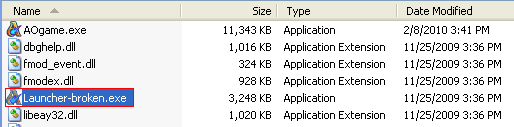 Please note that Windows on your computer may be configured to hide the file extension (.exe), so if you simply see “Launcher” rename it to “Launcher-broken”
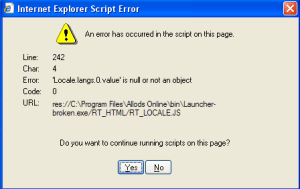
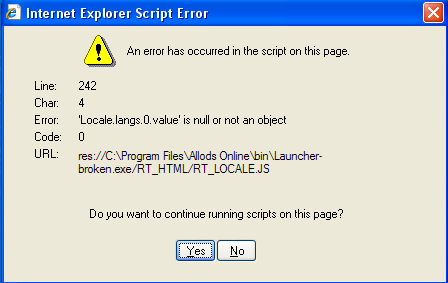
 - double-click Launcher-broken.exe to run it, and when you see the following script error panel, click Yes:
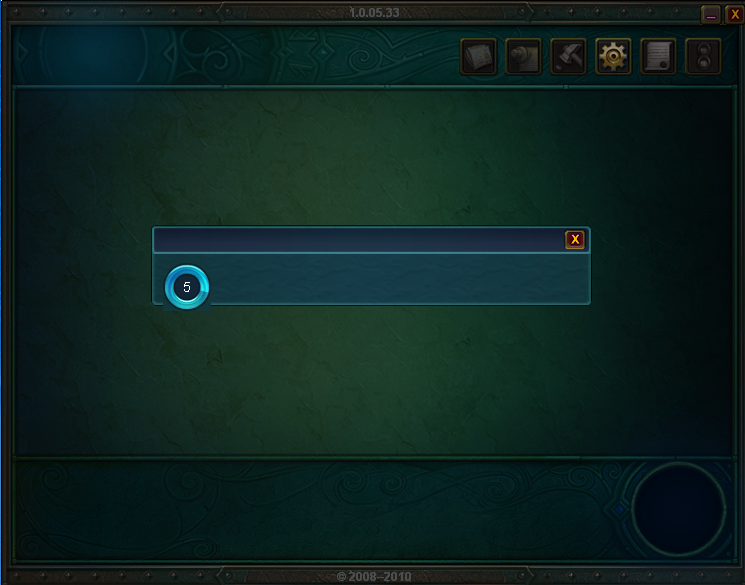
- the launcher will run and automatically attempt to fix the corrupted version:
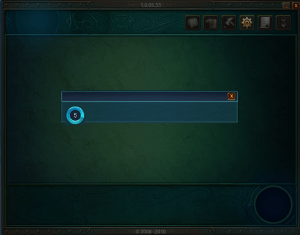 wait while the launcher runs. What the launcher program (Launcher-broken.exe) will do is download a new version of itself (Launcher.exe) that actually works: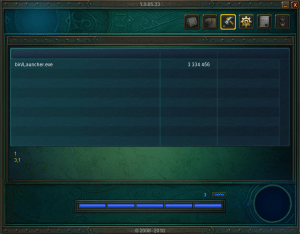
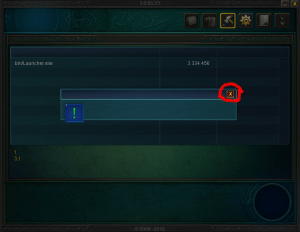
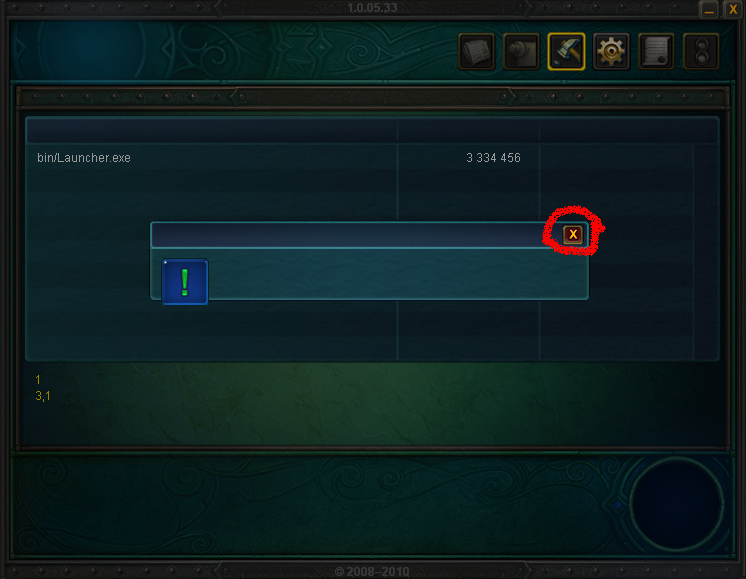
- once the fixed version of Launcher.exe has been downloaded, you will see the following message box, and you want to click the circled “x” to close it:
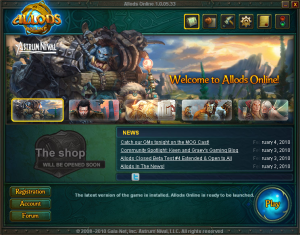
- now click the Allods Online icon on your desktop, and you should see the following panel, which means your game installation is all good :)

I wasted enough of my time researching this problem and seeing other players stuck on it on the AO forums, so I hope this guide helps you. Thanks to the players who posted the rename fix – all I tried to do was make the process clearer for folks who are struggling with this.


 Taugrim's MMO Blog
IT DIDNT WORK FOR ME I NEED HELP NOTHING HAS WORKED
i need help its not working
DUDE THANKS SO MUCH SAVED ME THE HASSLE OF DLING IT AGAIN
After the main installation, when I try to launch the game and download the patch all I get is an error that says, ‘Warning. Fatal error in java module’ and it prompts me to check the russian gamesite ! I even tried the client repair tool but the problem isn’t resolved at all!
And judging by all the comments I have read so far there are all sorts of issues that so many people run into. Why do some companies release problematic games and don’t fix things in a decent way early on and save all the trouble that arises?!?! Jeez!!
So many long hours of downloading and reading forums, for nothing. (A few days ago it was the same shit with one other game.) I am deleting it and not bothering ever again.
SUPER..Very GOOD
TANK YOU :D
Thanks a bunch. It helpt me and AO works for me now. :)
Allods needs a new updating system, I have also caught some bugs in the game. All they need is a little bit of help from professionals, for example; blizzard. (even though WoW sucks). After that, they did great and i would give them props.
uhm yeah its just sitting at the end of the ptch its not frozen but its not going anywhere help me?
can some 1 tell what should when i open allods and i have to type my acc name and pasword i type it and then it tell s me Account server : account inactive
doesnt fucking work..fuck..penis
It worked, thx alot
FAIL. EPIC FAIL. THIS DID NOT WORK. MY UPDATE IS STILL BLOCKED.
Another thing to try is uninstalling it and relaunching the setup.exe not the downloader. Make sure you still have the data1.cab, data2.cab, & data3.cab after that it updates and then you can play. But I’m hoping this method works. might be faster.
gan bahasa indo dong :)
not work i need wen i off game download 4bg lol like 5h
not work fuking post try all guids still not fuking work dis gameeeeeeeeee
try download the zlib1.dll
and put it at C:\gpotato.com\Allods Online\bin and start the game with SyncVersion.exe
that work with me
velho por favor, eu to tendo um erro aqui terrivel que sempre q vou tentar baixar pelo gerenciador de download, da um erro assim :
erro ao tentar obter os jogos através do web service!
alguem me ajuda ou add no msn
I have Windows Vista. This trick did not work for me. I change the launcher name and it just comes up the same as before.
i dont get the little internet script error thing to click “yes” so idk what to do….:(
its not the download that dowsnt work its the fcking antivirus which continously quarantines your in.launcher.exe ….lol
and yes i try your option and it says that my download was blocked or what the fuck……….how i overpass that?
it also works to change client version from US to EU, just 1,6gb to download :)
when i install i get: “Error decompressing CAB archive 13. Archive is corrupted”
THX you saved my day :D
ive tried the repair BS and ur right it doesnt …. work nor did the, what it did do was now instead of downloading 5 Corrupted at roughly 16mb its like 5kblah blah mb worth with over 20 ffs
and vtw NO script error came up
no they dont, but they do care about much ftarded money they drain from you
well taurgrim i applaud ur effort and im glad it work for some , but FINAL solution and as i run win 7 , i simply went to control panel, remove program and chose REMOVE PROGRAM AND PATCHES, its was over 5rs ago i played this i re downloaded it again to see for anything new, charectars still where they were, so no , so it’ll be another 5 or more year before i play this again, allods is still the one of the greediest cash shop game made by gpot.. k im done bye
[…] HOWTO Fix a Corrupted Version of Allods Online | Taugrim’s MMO Blog – This HOWTO guide explains how to easily fix the “corrupted version” error when installing / upgrading Allods Online without having to download files … This HOWTO guide explains how to easily fix the “corrupted version” error when installing / upgrading Allods Online without having to … […]
[…] HOWTO Fix a Corrupted Version of Allods Online | Taugrim's MMO. – Feb 8, 2010. This HOWTO guide explains how to easily fix the "corrupted version" error when installing / upgrading Allods Online without having to download files manually or from sources you're not sure are safe. NOT! i had 2 reinstall the whole game. when i install i get: “Error decompressing CAB archive 13. […]